 |
| I’m going to stop my Singapore trip post for today. I still have quite a number to post but I decided to write something else other than Singapore Singapore Singapore non stop. Si peh boring right? (Si peh is like Damn in English. It’s Hokkien. Just in case you don’t know what it means.)
I’m having a difficult time to find out who left comments in my blogspot blog especially on old post. It’s impossible for me to view all my posts everyday just to find out who has left the comment. Luckily, there is a widget called Recent Comments that solve my problem. It can show all the recent comments your reader left. Cool huh? (FYI, other blog hosting like WordPress has this feature embedded into it.)
Today, when I browse through Hoon’s blog, I found she has this feature on the side bar. There is a link below the recent comment column that says “Add this widget to your blog“. Without any hesitation, I clicked on it. It came out this page.
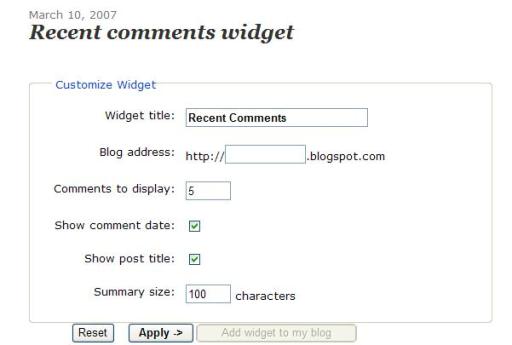
How it works?
Just fill in your blog URL into the Blog Address column. Before clicking Apply, you can choose how many comments you want it to display, whether to show comment date and post title and how many character for the summary size. After clicking the Apply, continue to click Add widget to my blog. The below page will appear.
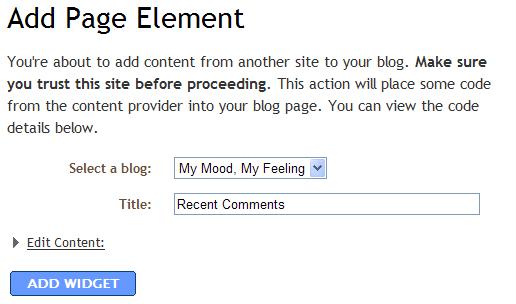
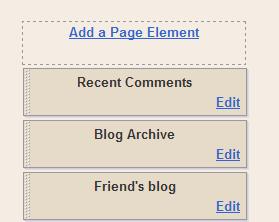
Just select the blog you want to add this widget into. Normally only one blog is showing unless you have a couple of blogspot blogs. Edit the title as you wish. Click ADD WIDGET and it’s all done. You can see the Recent Comments appear under Page Element page.
The outcome will be as below:
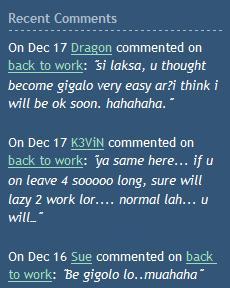
It’s so easy, right? Now you will no longer miss any comments even though your reader left a comment in your very very old post.
p/s Hoon, I help you to “pak kong kor” (advertise) your bog, I want my commission ya…… 😀

